Hydropallete: Shopify Store & Admin App
A Shopify storefront for a farm and grow-facility equipment supplier, taken from wireframes to high-fidelity design, plus a Shopify admin experience for managing product documents and store performance.
At a glance
What we delivered
A complete design for the Hydropallete store, from wireframes to high-fidelity storefront, plus the Shopify admin screens for documents and store performance.
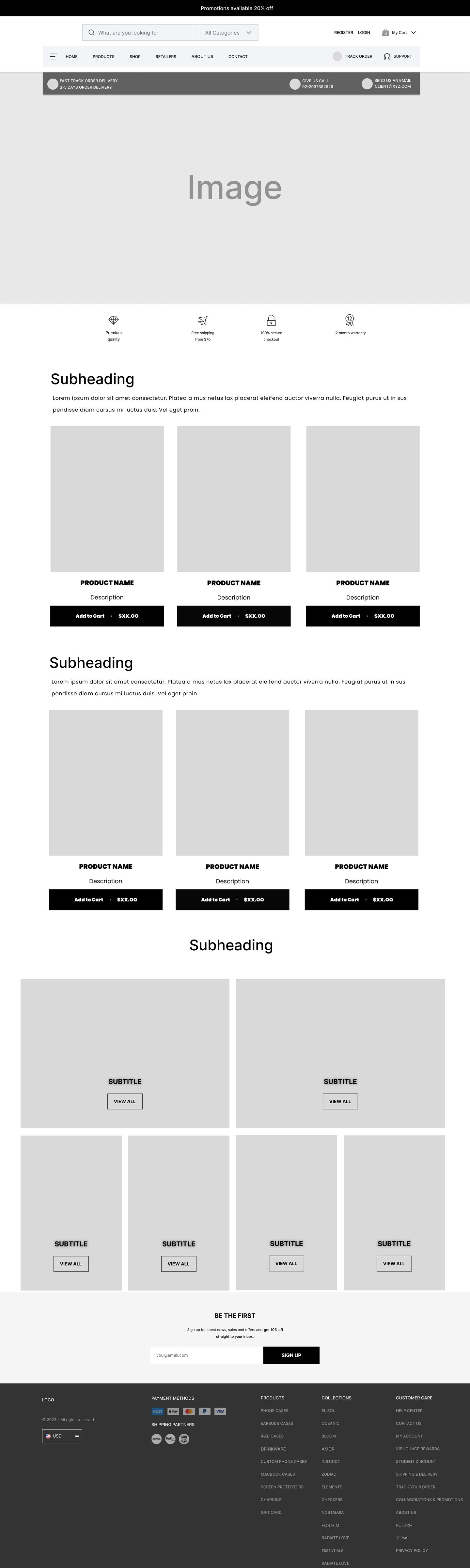
- Wireframes → hi-fiDesign stagescore journey designed twice
- 4 stepsStorefront journeyhome, product, cart, checkout
- 3Admin screensdashboard, products, documents
The challenge
What Needed to Change
Hydropallete sells specialist farm and grow-facility equipment, from bench systems and fans to dehumidifiers and safety supplies. Buyers need technical detail and documentation before committing to large orders, and the store had to make a broad, technical catalogue easy to browse and buy from.
The people we designed for
Growers and facility managers compare specifications, look for spec sheets and buy in volume. They need clear categories, technical depth on the product page and a basket that suits bigger orders. The merchant needs a simple way to keep product documents up to date.
Our approach
Research & Strategy
- Started with wireframes for the core journey (home, product page, cart and checkout) to agree structure before visual design.
- Organised the catalogue around how growers shop: grow-facility products, safety supplies and PPE 'by the pallet', and broader categories such as irrigation, construction, post-harvest, dehumidifiers and solar.
- Named the basket 'Your Pallet' to match the brand and the bulk-buying behaviour of trade customers.
- Connected storefront and admin: documents managed in the Shopify admin appear on the product page's Documents tab, so buyers get spec sheets where they make decisions.
Experience
Design & UX
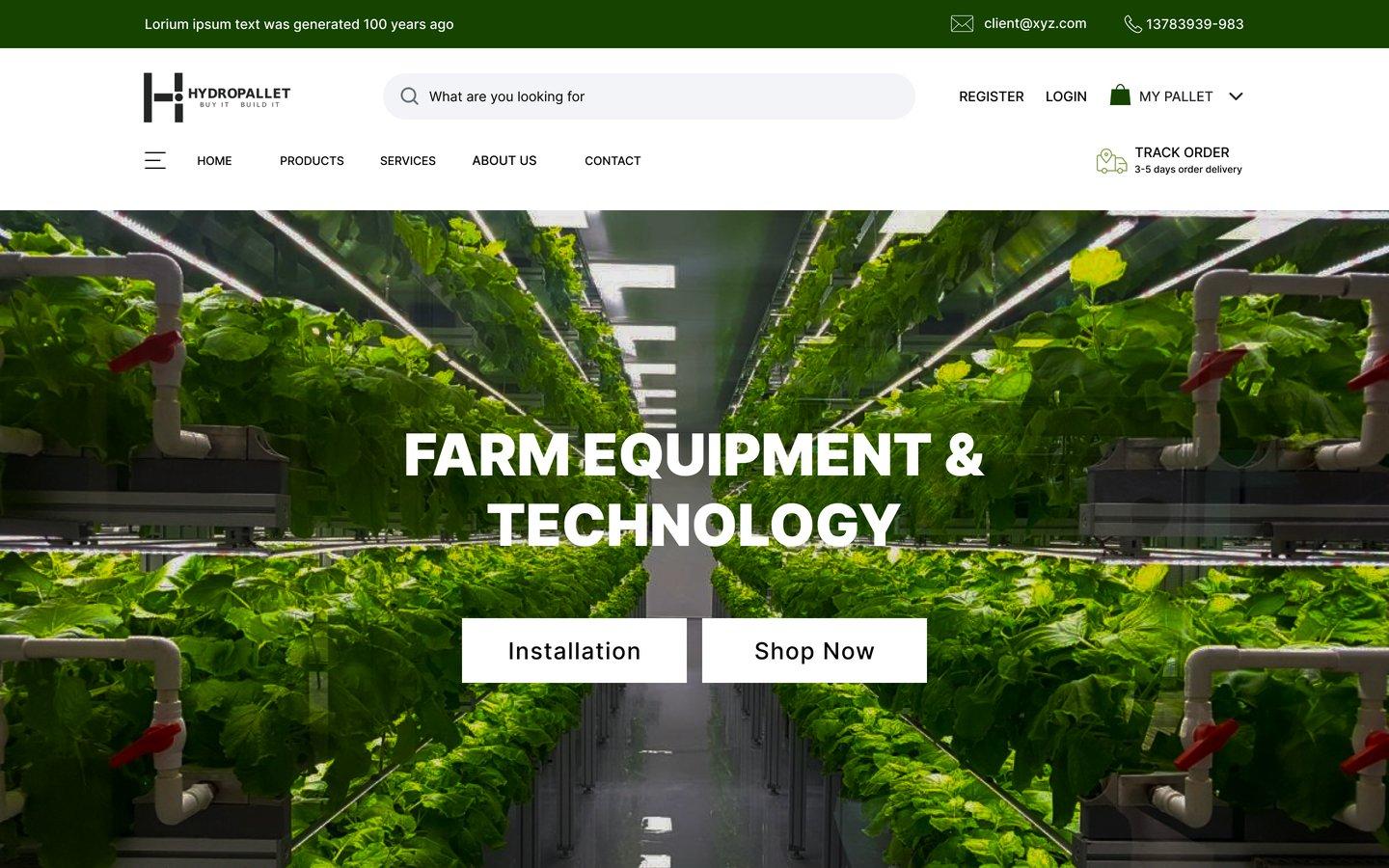
- Homepage with a clear hero (Installation and Shop Now), category carousels, product grids with add-to-cart, and image-led category tiles.
- Product page with a gallery, quantity, 'Add to Pallet', save and share actions, and Description, Specification and Documents tabs.
- Cart drawer with quantity steppers, remove, recommendations, subtotal and a single checkout action.
- One-page checkout: contact, shipping address, delivery options, payment (cards and PayPal), billing address and an order summary with discount codes.
- Shopify admin dashboard with today's revenue, orders and visitors, sales analytics (daily, weekly, monthly, yearly), returns and a product table with stock status.
- Products list with export, import, filters and a row menu for Documents, Inventory, Sales channels and Vendor, plus a documents library.
Project screens
The Work in Detail
From wireframes to shopping experience to shopify dashboard. Long screens scroll inside the frame.
Growth
Marketing & Growth Strategy
- A free-shipping progress bar in the cart ('You are $xx away from free shipping') to encourage larger orders.
- Cross-sell at the right moments: 'You may also like' in the cart, and 'Related products' and 'More categories' on product pages.
- Reviews on the product page for social proof, with sorting, filters and 'Write a review'.
- A promotion bar for site-wide offers and a 'Be the first' newsletter sign-up in the footer.
Tools & technology
- Figma
- Shopify
- Shopify admin patterns
Only verifiable facts are shown. Lab measurements are not real-user field data. Business results are published only with the client's approval.
Have a Project Like This?
Tell us what you're building or trying to grow. We'll share how we'd approach it.